Private betaA suite of WordPress plugins
The AI receptionist you install on your WordPress. It is yours.
Agent Front Desk is an AI receptionist for WordPress websites: a suite of plugins that runs inside your own WordPress, answers visitors by chat and browser voice from your own pages, captures and scores leads, books meetings only after the visitor confirms, hands over to a person live, and syncs to your CRM (HubSpot built in). It is GPL code, uses your own API keys, and is set up by NextAgency.
The AI front desk you own, built into your website and your CRM. No hosted service, no iframes, and no per-minute or per-conversation fees to us.
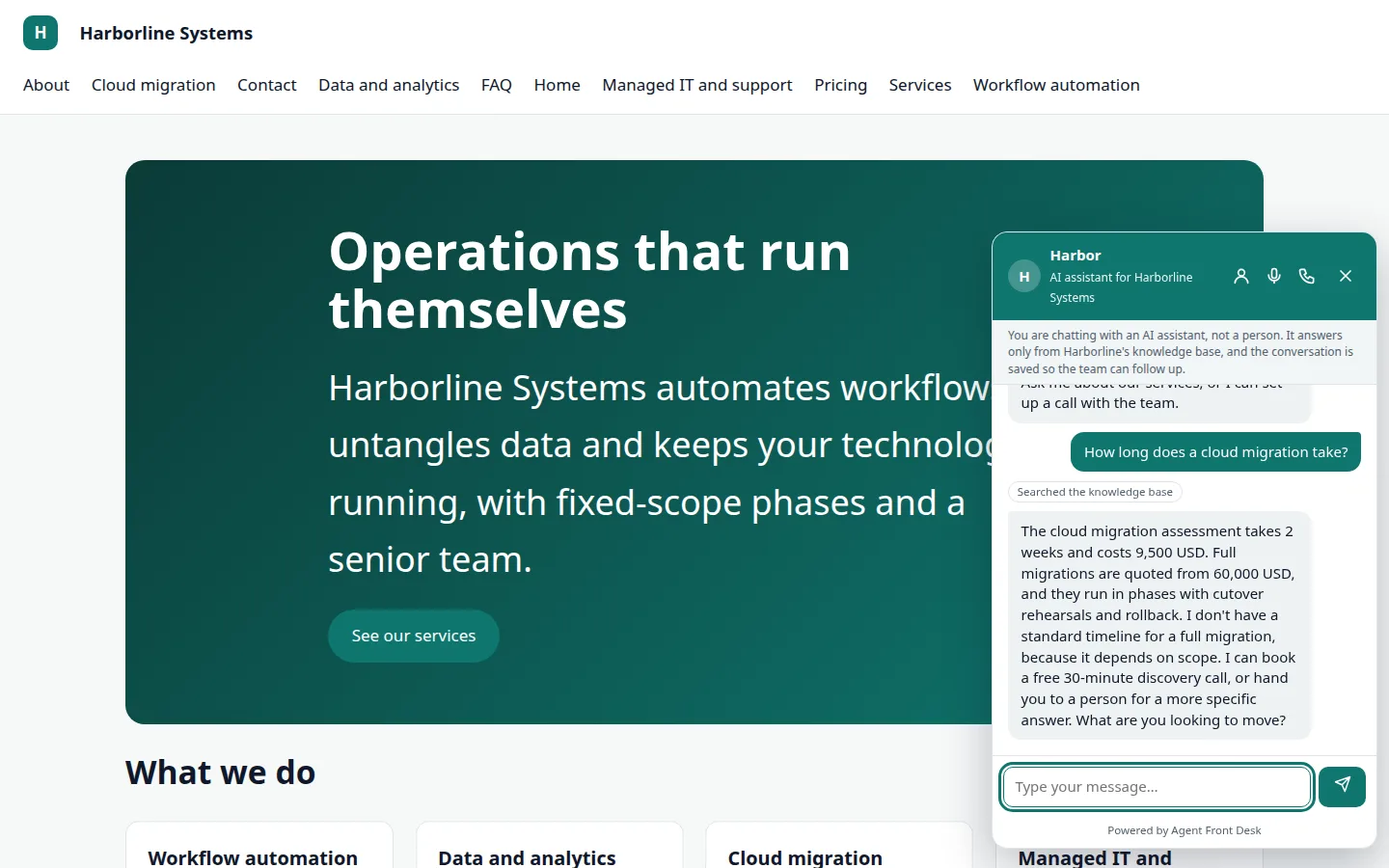
The demo site for Harborline Systems, a fictional client. The assistant answers from the pages on the site itself.
Inside your WordPress
It runs where your site already runs
There is nothing to sign up for and nothing sitting between your visitors and your data.
- Your WordPress database holds the conversations, leads, bookings and knowledge
- You bring your own API keys: Anthropic for chat, ElevenLabs for voice, HubSpot, optional OpenAI or Voyage
- GPL code you can read, change and keep
- No iframes and no third-party scripts on your pages
- Added to an existing site, then configured by us over about a day
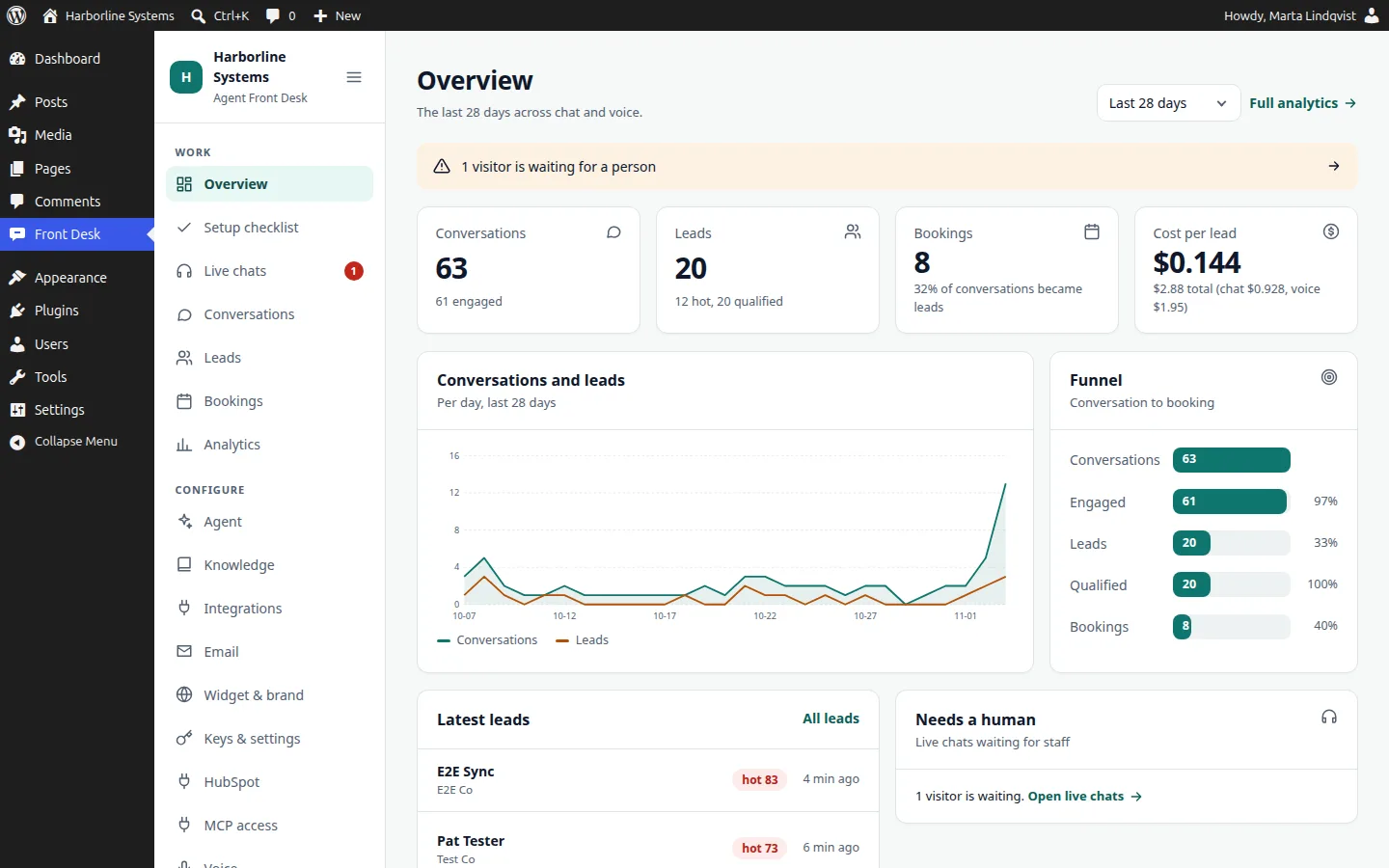
- A normal wp-admin screen for your team, in light and dark
See it work
A real voice call, start to finish
Recorded against the live demo, with a fictional client.
One assistant
Chat and voice share one brain
Both use the same knowledge and the same set of actions, so an answer is the same wherever it is asked.
1
Chat
A launcher on every page. It answers from your own pages and posts, and says when it does not know.
2
Browser voice
One click to talk, no phone needed. Visitors accept a recording notice first. Runs on your ElevenLabs account.
3
Callback requests
A form that creates a lead and tells your staff to call. Live phone answering is planned, not built yet.
It says it is an AI. It qualifies the lead and proposes times, and nothing is booked until the visitor confirms.
The suite
Four plugins, install only what you need
Agent Front Desk (core)
Chat, knowledge from your WordPress pages and posts, leads and scoring, booking with confirmation, live handover, conversations, analytics, audit log, roles, and the widget.
Voice add-on
Browser voice through your own ElevenLabs account. WordPress mints the signed session; your ElevenLabs key never reaches the browser.
HubSpot add-on
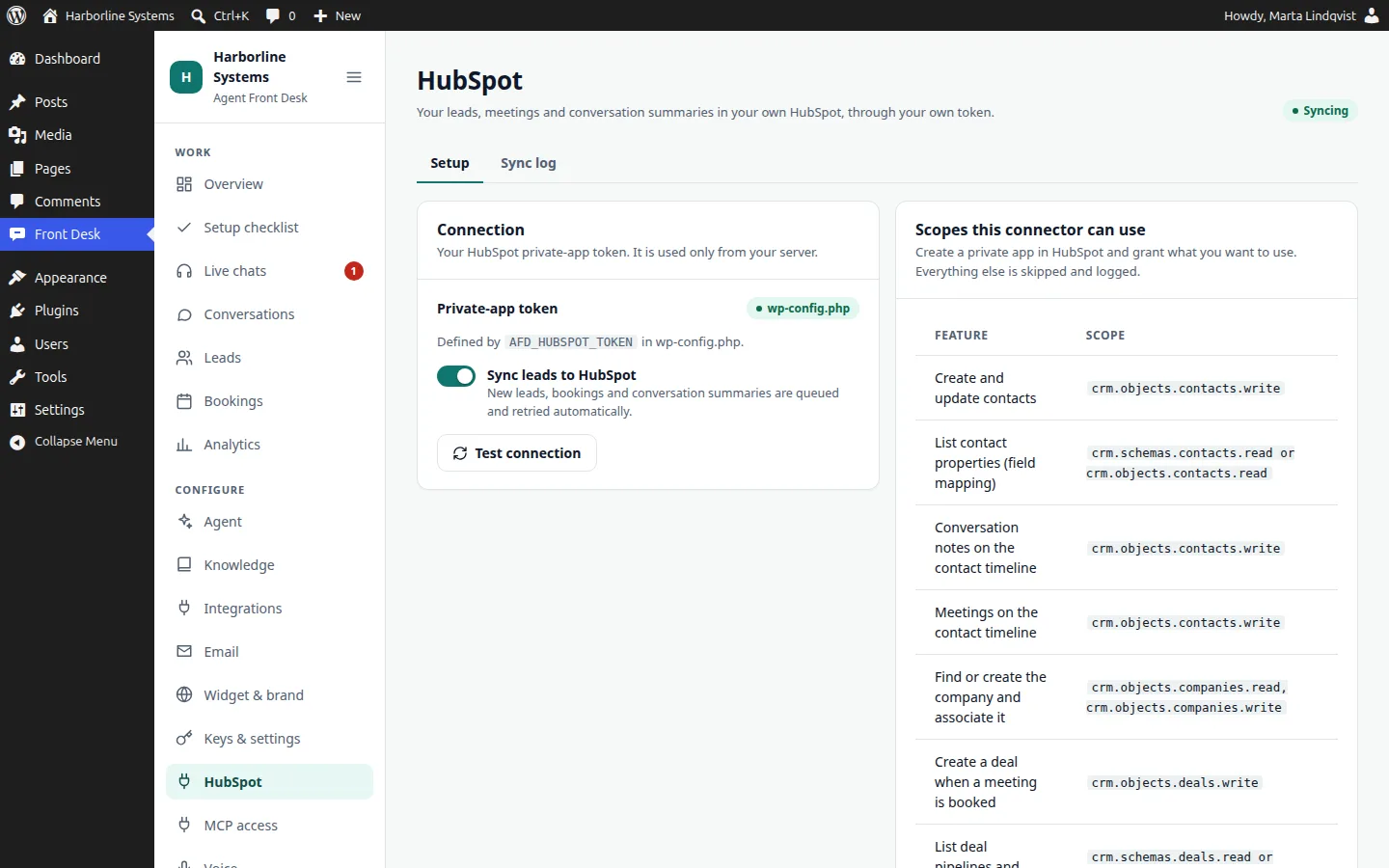
Contacts, notes, meetings, and companies, deals and owners when the scopes allow. Field mapping, a scope table, a sync log and retry.
MCP add-on
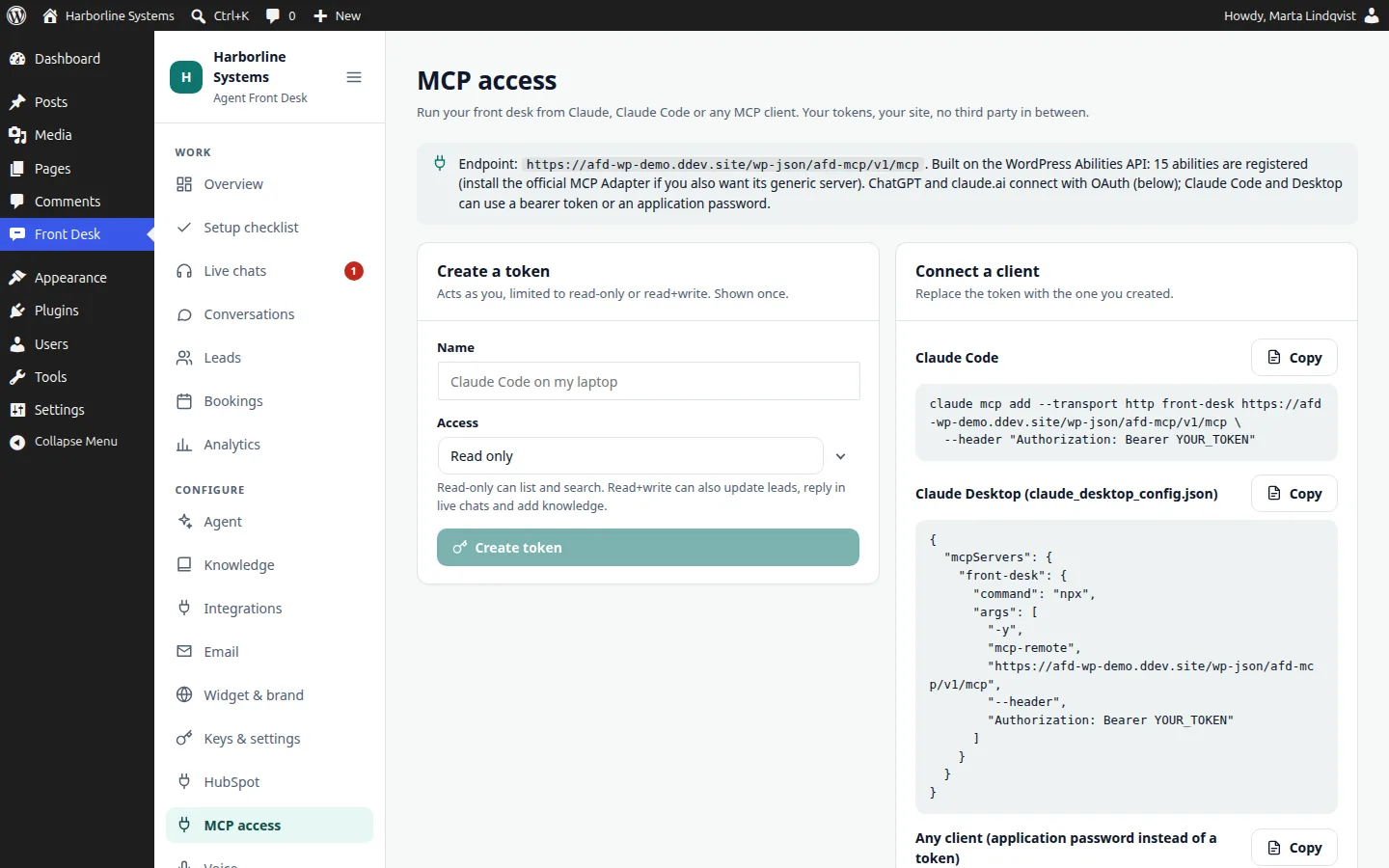
15 tools for Claude, Claude Code and ChatGPT: tokens or application passwords, and OAuth 2.1 for the ChatGPT and claude.ai connectors.
Your CRM
Every lead lands where your team already works
Works with your CRM: HubSpot built in, others connected during implementation.
- Contacts created or updated by email, no duplicates
- Notes and meetings on the contact timeline
- Company, deal and owner when your HubSpot scopes allow it
- A sync log with retry, so a CRM problem never reaches the visitor
MCP
Run your front desk from ChatGPT or Claude
Add one connector, sign in with your WordPress login, and choose read-only or read and write. Then ask how many hot leads came in this week. Every call is in the audit log.
Your own systems connect through the extension API as custom connectors, built for you.
Owned, not rented
You own it. We set it up.
Most AI receptionists are rented per minute or per month. This one is installed in your site.
- Self-host everything, with no vendor lock-in
- We set it up and customize it. That is the paid work.
- Updates and support are optional, through a license key
- No feature is gated, ever
- Your customizations live in your own plugin, so updates never break them
How an implementation works
From first call to live in about a day of setup
Plan one to two weeks from kickoff, because accounts and content take time.
Step 1
Scope
A call about your site, your CRM and the questions your customers really ask.
Step 2
Install
We add the plugins to your WordPress and set your keys. Branded to match your site.
Step 3
Teach
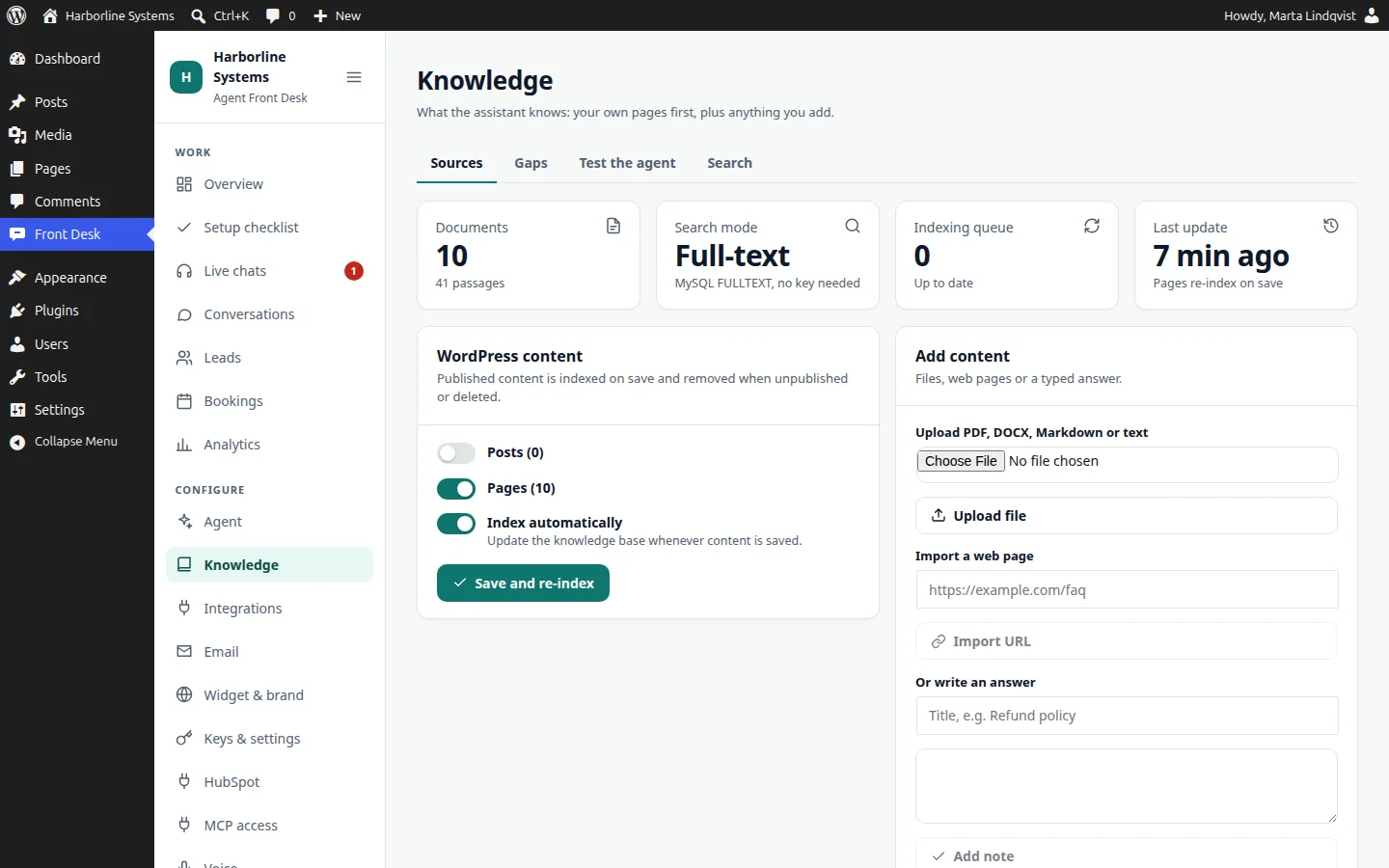
Your published pages are indexed. We add documents, then test with real questions until the answers hold.
Step 4
Connect
CRM, email and, if you want it, voice. Each tested with a real lead.
Step 5
Launch
Staff trained, and a two-week check-in on gaps and costs.
Private beta
What the private beta includes, and who it is for
We are taking on a small number of businesses, because each one is set up by hand with us.
What you get
- The plugins in your own WordPress, with your keys and your data
- Chat and browser voice, with callback requests
- Your CRM connected: HubSpot built in, others during setup
- A written quote for your business before anything is built
- Direct access to the people who build it
Who it is for
- Businesses on WordPress that get questions and leads through the website
- Teams with a CRM, or about to have one
- Owners who want to own the tool, not rent a seat
- People happy to give honest feedback on new software
Quick answers
What does private beta mean?
Agent Front Desk is new, and we are setting it up for a limited number of businesses, by hand. You get hands-on help and a say in what we improve. You should expect some rough edges.
Is this SaaS?
No. It is a set of WordPress plugins that runs inside your own WordPress, with your database and your API keys. There is no hosted service and nothing is routed through us.
Can I add it to an existing WordPress site?
Yes. Install and activate the plugins, add your keys, and the chat launcher appears on the site. It reads your published pages and posts, so it can answer from what is already there.
Can I own the whole AI receptionist instead of paying per minute?
Yes. The code is GPL and runs in your WordPress, with your database and your own accounts at the AI and voice vendors. You pay those vendors at cost and nothing per minute or per conversation to us.
How do updates work?
The plugins are GPL and every feature works without a license, forever. An optional license key adds automatic updates and support, delivered to your site like any plugin update. Without one, you update by uploading a new zip. Terms are by arrangement during the beta.
Join the private beta
The private beta has limited spots, and each one is set up by hand. Tell us about your site and your CRM.